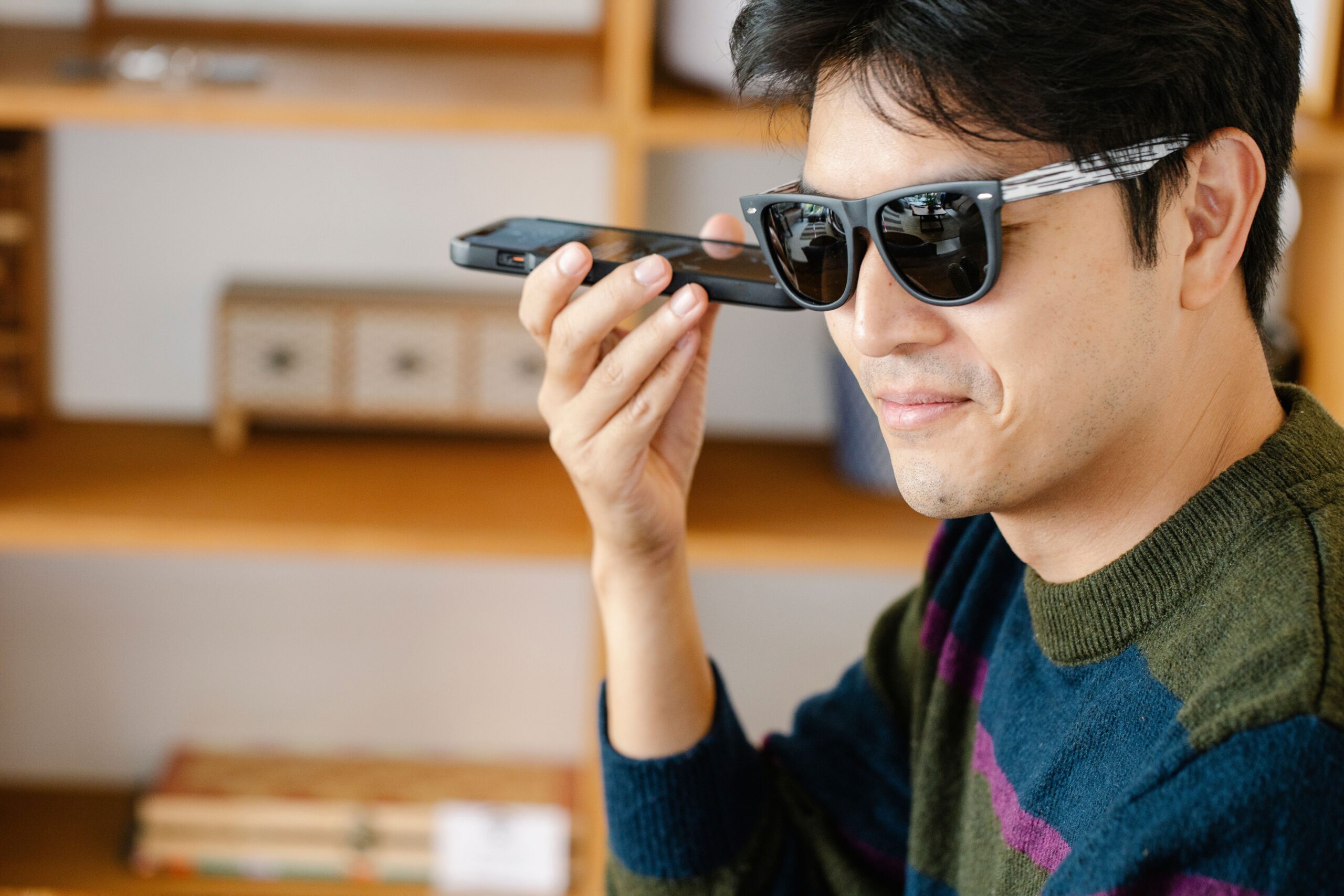
Many everyday digital tasks are designed around the ability to hold, tap, swipe, and type. These actions may be simple for some people, but they can be tiring, uncomfortable, slow, or impossible for someone with limited hand movement, muscle weakness, tremors, joint pain, or another mobility-related condition. Voice-controlled wearables could offer another way to interact with technology without requiring constant manual input.
Their value should not be overstated. A consumer wearable is not automatically an assistive or medical device, and the same product will not work for every person. Still, hands-free controls may complement established accessibility tools and make certain daily activities easier when the device, environment, and user’s needs are a good match.
Why Hands-Free Control Can Matter
Mobility challenges vary widely. Some people use wheelchairs or walking aids, while others have conditions that affect fine motor control, grip strength, reach, stamina, or coordination. A person may also experience symptoms that change from day to day. Accessible technology therefore needs to offer choices rather than assume one standard way of interacting.
Voice commands can reduce the need to retrieve a phone, maintain a grip, or make precise movements on a small screen. This may be useful when a person’s hands are occupied with a mobility aid or when repeated touch gestures cause fatigue. The aim is not to remove every physical action, but to provide an alternative route for completing common tasks.
The World Health Organization’s overview of assistive technology explains that appropriate products and services can support functioning, independence, inclusion, and participation. It also stresses the importance of involving users and families throughout the process. That person-centred principle is essential when evaluating any new wearable.
Everyday Communication With Fewer Manual Steps
Calling a contact, sending a short message, or listening to a notification can involve several taps on a phone. A voice-enabled wearable may shorten that sequence by letting the user start an action with a spoken request. For someone who finds touchscreens difficult to operate, reducing even a few steps can make communication more accessible.
Some people may choose to explore Ray-Ban camera glasses as an example of consumer eyewear that combines voice interaction with audio and camera functions. Depending on the device, paired phone, available features, and region, hands-free controls may support calls, messages, audio, or visual capture.
These capabilities should be tested in the person’s real environment. Speech recognition may struggle with a quiet voice, atypical speech, background noise, or an accent that the system does not interpret reliably. Important tasks should always have an accessible backup method.
Accessing Information Without Reaching for a Phone
Voice-controlled wearables may also make simple information easier to retrieve. A user might ask for the time, check a reminder, control audio, or obtain basic information without locating and unlocking another device. That can reduce friction during a commute, at work, or while moving through the home.
The benefit is most meaningful when it supports a task the person already wants to complete. Features added for novelty can make an interface more complicated, whereas a small set of dependable commands may be genuinely useful. Clear audio feedback and simple error correction are particularly important because users need to know whether the system understood a request.
Supporting Visual Communication and Remote Assistance
A wearable camera can show another person what the user is seeing, which may support certain forms of remote assistance. For example, a trusted contact could potentially help identify an item, understand a practical problem, or provide guidance during a task when compatible communication features are available.
This possibility requires careful boundaries. Remote assistance should be chosen by the user, activated deliberately, and limited to appropriate situations. It is not a replacement for trained personal support, emergency services, clinical assessment, or a mobility aid. Connection failures and camera positioning can also make visual information incomplete.
The CDC’s disability and health guidance notes that assistive technologies range from low-tech aids to advanced communication devices and can help people participate in work, learning, travel, and recreation. Voice-controlled wearables may fit within this broader ecosystem for some users, but they should complement rather than displace tools that are already safe and effective.
Design Details That Affect Accessibility
The usefulness of a wearable depends on more than its feature list. Comfort, weight, battery duration, fit, charging method, speaker clarity, microphone performance, and ease of pairing can determine whether the device works in daily life. A product that requires frequent, precise adjustments may create a new barrier for someone with limited dexterity.
Setup should be accessible too. Mobile apps need readable text, logical navigation, screen-reader compatibility, and alternatives to gestures. Users should be able to adjust volume, permissions, and privacy settings without navigating an unnecessarily complex process. Caregivers or family members may assist when invited, but the user should retain control over accounts and personal information wherever possible.
Cost and support are also important. Buyers should check warranty terms, repair options, software compatibility, and the expected period of updates. A device becomes less useful if a key feature changes or support ends without an accessible alternative.
Privacy and Safety Require Deliberate Choices
Camera- and microphone-enabled wearables can collect sensitive information about both the wearer and people nearby. Users should understand when recording is active, where content is stored, which apps can access it, and how information can be deleted. Strong passwords and account security are basic protections.
Recording should be avoided in private conversations, examination rooms, bathrooms, changing areas, or any setting where consent has not been established. Healthcare organisations may have specific policies on cameras and connected devices. The visible recording indicator should remain unobstructed.
Voice control should never be the only method available for urgent communication or safety-critical tasks. Battery loss, poor connectivity, recognition errors, and software problems are predictable limitations. Emergency plans should rely on dependable, accessible options selected with the individual and, when appropriate, relevant professionals.
A Person-Centred Way to Evaluate Wearables
The best starting point is a specific task rather than a fashionable product. What does the person want to do more easily? Which step creates difficulty? Would voice input remove that barrier, and can the user correct mistakes independently? A short trial in realistic conditions can answer more than a long specification sheet.
Occupational therapists, assistive technology specialists, rehabilitation professionals, or disability organisations may help evaluate options when needs are complex. Their role is not to choose technology for the user, but to help match features with goals, abilities, environments, and established supports.
Voice-controlled wearables could make communication, information access, and some daily activities more convenient for people with mobility challenges. Their real potential lies in offering another choice. When products are comfortable, reliable, secure, and selected around the user’s priorities, hands-free interaction can become one useful part of a broader approach to independence and inclusion.